Article
Why so many enterprise design systems fail



- By
- Bernd Feldmayer, Flora Maxwell & Sascha Werder
- Reading time
- 10 minutes
- Updated
Design systems are more popular than ever. There’s hardly a major company that hasn’t built one, or at least has one in the works. But all too often, a labor-intensive and costly development process is followed by disillusionment: The design system is at a stage where it would be great to get started, but no one is using it.
On paper, it all sounds promising: clear components, defined rules, centralized documentation. But especially in complex organizations, the system often remains a bubble that has little impact on day-to-day project work. Herein lies the crux of the matter: impact isn’t created simply by building the system, but by what teams make of it. In an enterprise environment, a design system must function within a complex web of different products, stakeholders, and processes. Furthermore, not every system automatically solves the right problems. Sometimes it’s simply not the right tool for the situation at hand.
In this article, we’ll look at how to tell if your system isn’t yet reaching its full potential, what the most common causes are, and how to turn it into a real productivity booster.
5 signs that optimization is needed
An enterprise design system is supposed to make work faster, more consistent, and easier, while also improving teamwork. If it fails to fulfill these purposes, it becomes evident in day-to-day work. Some symptoms are obvious, while others creep in quietly and aren’t recognized until a great deal of effort and time has already been wasted.
Do any of the following signs apply to your design system?
- Low adoption and usage: You notice that designers are building components twice or continue to maintain their own UI solutions. Developers are working with different code bases. During sprint reviews, elements appear that aren’t in the system as-is, or no one even asks whether something already exists for them. The system is bypassed in projects and doesn’t come up in communication.
- No visible improvement in quality: Despite the design system, products appear inconsistent. Buttons look slightly different in each application, spacing and font sizes vary, and wording is inconsistent. Even basics like text or color styles aren’t used consistently. The user interfaces don’t feel like they’re part of a cohesive whole.
- No acceleration: Coordination and decision-making continue to take a long time because there are repeated discussions in large meetings about how an element should look or function. Handoffs between design and development are just as time-consuming as before. If a product team identifies a need for a new UI component, it’s already clear that it will take a long time before it’s actually available. The design system tends to slow down delivery.
- Lack of clarity regarding the current status: There is often uncertainty about which version of a component is valid. Different versions exist, and there is no central, reliable “single source of truth.” Furthermore, it is often unclear which quality criteria have already been taken into account and implemented, for example accessibility.
- Disproportionate resource requirements: The system consumes more budget and personnel than its actual benefits justify. Resources that would otherwise be needed for product development or other strategic projects are permanently tied up in the system.
The more of these points you check off, the clearer it becomes: The system exists, but it isn’t fulfilling its purpose. We’ll now get to the root of the potential problems so you can solve them effectively.
A flaw in the system? Common pitfalls in the enterprise environment
The symptoms mentioned are just the tip of the iceberg. They’re what we notice in our day-to-day work. However, behind low adoption rates, team frustration, a lack of momentum, or quality issues lie deeper, structural causes. These are surprisingly similar across many organizations. If you understand them, you can address the root causes rather than just treating the symptoms.
The most common sources of error:
- No clear goal: The design system was introduced because “that’s just how it’s done now” or because designers implemented it on their own initiative, since they themselves had a need for it. Too little attention was paid to what problem was actually supposed to be solved and what needs other stakeholders, such as developers, have. It remains unclear whether the design system is actually the right solution. No clear success criteria were defined, and no one can clearly say how the system’s value is measured.
- Unclear accountability: Maintenance, prioritization, and further development aren’t clearly assigned to a single person or team. Decisions stall, changes happen in an uncoordinated manner, and everyone has a different idea of who’s in charge. Updates are delayed, and it’s hard to build commitment within the team.
- Biting off more than they can chew: The goal of creating a comprehensive system with all components and rules right from the start delays the launch. Months go by before the system is ready for use. By then, teams have long since built their own solutions again. The effort required to create a system that’s polished down to the last detail is underestimated, resources run short, and the design system ultimately becomes unusable, even though, or perhaps precisely because, it began with such grand ambitions.
- Lack of awareness of the benefits: Designers, developers, or product owners don’t understand what concrete benefits the system offers them. Above all, they see it as extra work or a kind of “police force” that only imposes rules and restricts their freedom. They’d rather keep working the way they always have. We also often find that teams simply don’t feel like dealing with it. Sometimes employees aren’t familiar with the latest Figma features, and they feel overwhelmed or even anxious about working with them.
- Lack of collaboration between design and development: A design system is a team effort; it can only come to fruition when everyone pulls together. Everyone must be aware of this and put it into practice. Design and development, in particular, must work together as equals and share an equal interest in both the creation and use of the system. This is essential even beyond the context of the design system, but we’ve often seen that it quickly becomes a deal-breaker in this very area, leading to excessive frustration and an unproductive team atmosphere.
- Lack of strategic integration: The design system is neither an integral part of daily design and development processes nor linked to the product strategy or key business objectives. Without integration into workflows and without a strategic context, it remains an isolated project that, when in doubt, is viewed more as an additional task than as a central tool.

“In my experience, if the initiative comes from the team itself and there is no product owner or other stakeholder responsible for it, then hardly any resources or budget are allocated to the design system. The design system is like an internal product in its own right, which must be planned and staffed with a dedicated product team.”
What sets a successful enterprise design system apart
Before we get to the solutions, let’s take a quick look at the ideal scenario: What defines design systems that provide a reliable, accessible framework in an enterprise environment and create a unifying foundation that offers guidance, simplifies decision-making, and allows enough flexibility to respond to new requirements?
Practical usability is key. Everything is easy to find and understand, and there are clear points of contact for questions regarding usage. The documentation is easily accessible, up-to-date, and written in a way that not only describes but also guides. The components themselves are also easy to use and, ideally, self-explanatory. All components, patterns, and rules are structured and standardized.
Clear processes are just as important: maintenance, expansion, and feedback follow defined workflows. Decisions about which elements to include or adapt are transparent and traceable. Collaboration between design and development teams is systematized, and compliance with the rules is ensured through governance.
Pragmatic solutions you can implement right now
If you mentally checked off the 5 symptoms listed at the beginning of this article, you now know some of the most important starting points. For each of these problems, there are specific steps you can take that often yield results without having to completely rethink the existing system from the ground up.
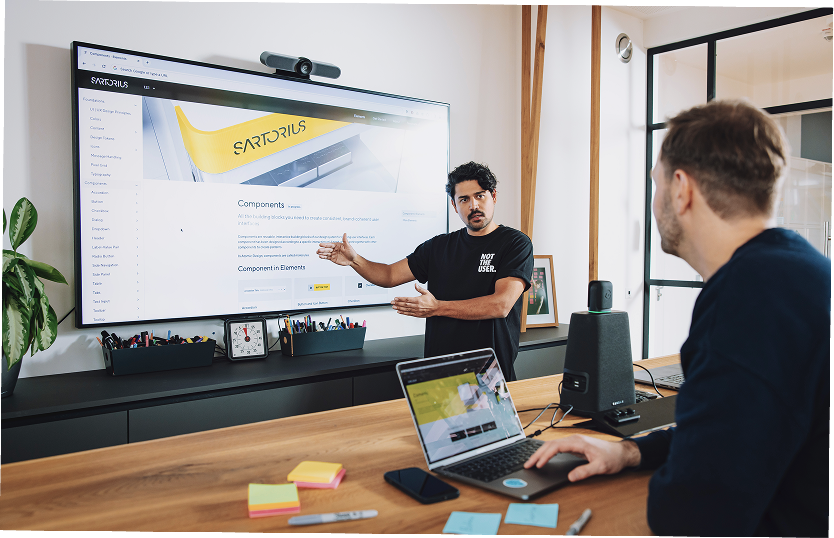
First things first: No matter which approach you take, it’s clear that a design system is always a team effort. No one has to, or should, shoulder everything alone, not even the optimizations. Incidentally, this very teamwork is one of the secret superpowers of design systems. If you’d like to learn more about this, check out our showcase to see how the design system at Sartorius became a catalyst for team collaboration.
Symptom: Low adoption and usage
Solutions: Everyone involved should be included from the start, feel heard, and have the opportunity to actively participate, for example, through comment features and designated points of contact. This not only improves the design system but also makes it easier to accept thanks to the IKEA effect (things are more valuable when you build them yourself). From the start, foster the understanding that the design system is a shared “baby.” Also, ensure there is clear ownership, not just on the design side, but also among developers and product owners, with a dedicated team or individual who actively integrates the system into projects. Make sure there’s an onboarding process for everyone who’s supposed to use the design system. This should use real project scenarios to demonstrate how the system saves time and ensures quality. Regularly review specific examples of where the system has been successfully used in current projects, and share these success metrics with the teams.
For a system to make work easier, there has to be a willingness to use it. Fostering that willingness is a crucial task, including through communication.
Symptom: No visible improvement in quality
Solutions: Ensure clearly defined quality standards that are formally documented and accessible. Initiate regular quality reviews in which design and development teams jointly verify that the system is consistent and technically up to date. For new projects, verify that they comply with the standards and request corrections if necessary. When conducting user tests on products that include new components, feedback should always be shared with the design system team so that the system can be continuously optimized.
Consistency doesn’t happen on its own. It is the result of clear standards and consistent maintenance.
Symptom: No momentum
Solutions: Ensure that the system is incorporated into all relevant product and development processes, from sprint planning to deployment. Work with design and dev leads to determine how components can be seamlessly made accessible in Figma, Storybook, or code repositories. Identify how the system accelerates decision-making in day-to-day project work, or where it’s currently holding things back. It’s also important that product teams have sufficient autonomy and freedom to act so they can implement their requirements.
A design system only speeds up the process if it’s right where the work happens.
Symptom: Lack of clarity regarding the current status
Solutions: Ensure there is a central, reliable “single source of truth” that is accessible to everyone. Implement processes to consistently flag or remove outdated components. With each new version, clearly document what has been changed, when, and why. It should also be communicated when specific components will be added, how long the old version will remain in use, and how changes to the product should be handled in the meantime.
Clarity is the most powerful driver of trust, and trust is the foundation for adoption.
Symptom: Disproportionate resource requirements
Solutions: Review data on actual component usage and prioritize the content that is used most frequently. In general, deliberately set budgets so that the areas with the greatest impact are addressed first. Additionally, expectations should be clearly established among all stakeholders: The design system is not a project; it is a process. Small, continuous steps are better than a “big bang.”
A good system grows with demand, not with the desire to solve everything at once.
Conclusion
An enterprise design system presents the challenge of having to integrate a multitude of complex and diverse product ecosystems into a single system. That alone can seem like a monumental task. On top of that, it must function within the equally complex reality of day-to-day project work and be used by a wide variety of people with diverse needs, knowledge levels, and challenges.
The key point is this: the design system doesn’t have to be a perfect end product to be effective. There’s still too much pressure to be perfectionist and a desire to “finish” something. But a design system is a living entity: it scales and, in the best-case scenario, continues to evolve. There are effective levers you can use to drive this positive evolution. You’re now familiar with many of them and can adjust them strategically.
Even if your current design system has hit a snag, the right time to change it is always now. We’ve seen in many projects that the typical hurdles in complex product landscapes are similar, and that even systems with limited utility can be transformed into powerful tools. The greatest leverage often lies in refining structures rather than replacing them. You’re not alone in facing these challenges. We wish you the best of luck!
P.
S.: Do you need feedback or help making your enterprise design system more effective? Find out here how we can support you.
Our experts

Bernd Feldmayer
Senior UI engineer
With a focus on design systems and user-centered design, Bernd develops scalable front ends and equips teams to handle day-to-day tasks through training.
Flora approaches design from a human-centered perspective, and brings structure to complex applications with a keen eye for what matters most. She helps teams drive product development through intuitive design.
Sascha specializes in designing and implementing intuitive interfaces that are not only aesthetically pleasing but also offer real added value and a positive impact.