Article
Remote Design Sprints: Lessons learned, methods, and setbacks

- By
- Markus Brendel
- Reading time
- 9 minutes
- Updated
How we survived 16 remote Design Sprints in 8 weeks
Mid-March 2020. Working from home. Right now. But we have 16 Design Sprints scheduled, on-site at the client’s office, starting next week! Design Sprints are typically in-person, face-to-face, with large whiteboards and lots and lots of colorful Post-its.
There was no way around it: we had to develop a remote concept within a week. But here’s the best part about just diving in when you’re short on time: you get super creative, improvise, hit a few snags, and learn something new all the time. What we took away from these 8 intense weeks are plenty of food for thought, new processes, and a Miro template that’s been revised 20 times to ensure a smooth remote Design Sprint. We’d like to share all of this with you here. Let’s get started.
In a nutshell, what is a Design Sprint?
In a Design Sprint, solutions to a user or business problem are developed. The best idea is then tested on real users using a prototype. By the end, you’ll have the feedback you need to turn the solution into a real product, revise it, or discard it. All of this happens within 5 days with a small team.
Find out how the format works and how we’ve adapted it here: “The Design Sprint Method: Testing Ideas in 5 Days.”
Unique aspects of remote Design Sprints
We love Design Sprints! When we walk into a Design Sprint room that’s still full of blank walls on the first day, we get excited about the days ahead: discussions, ideas, and possibilities. About days without a screen right in front of us, filled with Post-its, pens, and paper…
And now, all of this remotely.
Advantages
First, the good news: A virtual setting also has its advantages. You’re not tied to a specific location and can bring in the best experts without having to fly them in from Tokyo or Timbuktu. There’s no need to organize or pay for physical space. Digital tools automatically document everything; every step is recorded efficiently and transparently, for example, on a Miro board. Overall, the team can take full advantage of the wide range of benefits that a mature digital infrastructure offers.
Drawbacks
But let’s not kid ourselves: the remote setting also has its weaknesses. You don’t get a sense of the space, and it’s hard to gauge people’s moods. It takes a lot of effort and sensitivity to keep everyone motivated and ensure that no one drops out. Whether a participant is feeling down, celebrating a birthday, or could use a hug, none of that comes through over Wi-Fi. There’s a reason Design Sprints usually take place in person; it’s part of the method. The dynamics that arise from the immediacy of being in the same room are difficult to replicate online.
Useful tools
So we need the best tools we know, and even then, it’s a challenge. In our case, during these unique times of the pandemic, the use of Miro and Google Meet or Zoom was very quickly approved, even beyond standard security limits. Sometimes the client’s infrastructure needs to be integrated, but that’s usually not a problem.
Key principle: flexibility
As a general rule for remote Design Sprints: Never be afraid to break new ground or to question even the most tried-and-true methods. Of course, you have a framework that sets the guidelines, but stay flexible and react spontaneously. Every project inherently comes with its own set of requirements. It’s also always a good idea to think within the client’s context and avoid imposing a rigid structure (even though there is, of course, a certain fixed framework). On top of that, entirely new conditions arise when the team isn’t physically together in one location. During our 16 Design Sprints, for example, we faced the following challenges:
- We started with two large teams of twelve participants each, who had never worked together before. Fortunately, we were able to work with two facilitators per Design Sprint, which allowed us to divide the tasks effectively.
- At the same time, we had another secret mission: to introduce the teams to the principles of design thinking.
- The third challenge: a rather poor video call tool. As a result, 99% of the participants’ cameras were turned off!
So we had to quickly learn to adapt our processes to suit the task at hand and the team structure. To do this, we drew on our entire toolkit and customized the AJ&Smart Design Sprint template every week.
20 tips for your remote Design Sprint
Now let’s get down to business: What changes did we make to our usual Design Sprint process, and why? Here are our top tips:
2 facilitators
For remote sessions, you need at least two people to lead the process, look after the participants, and answer questions, because all of this is more difficult to do virtually and takes more time.
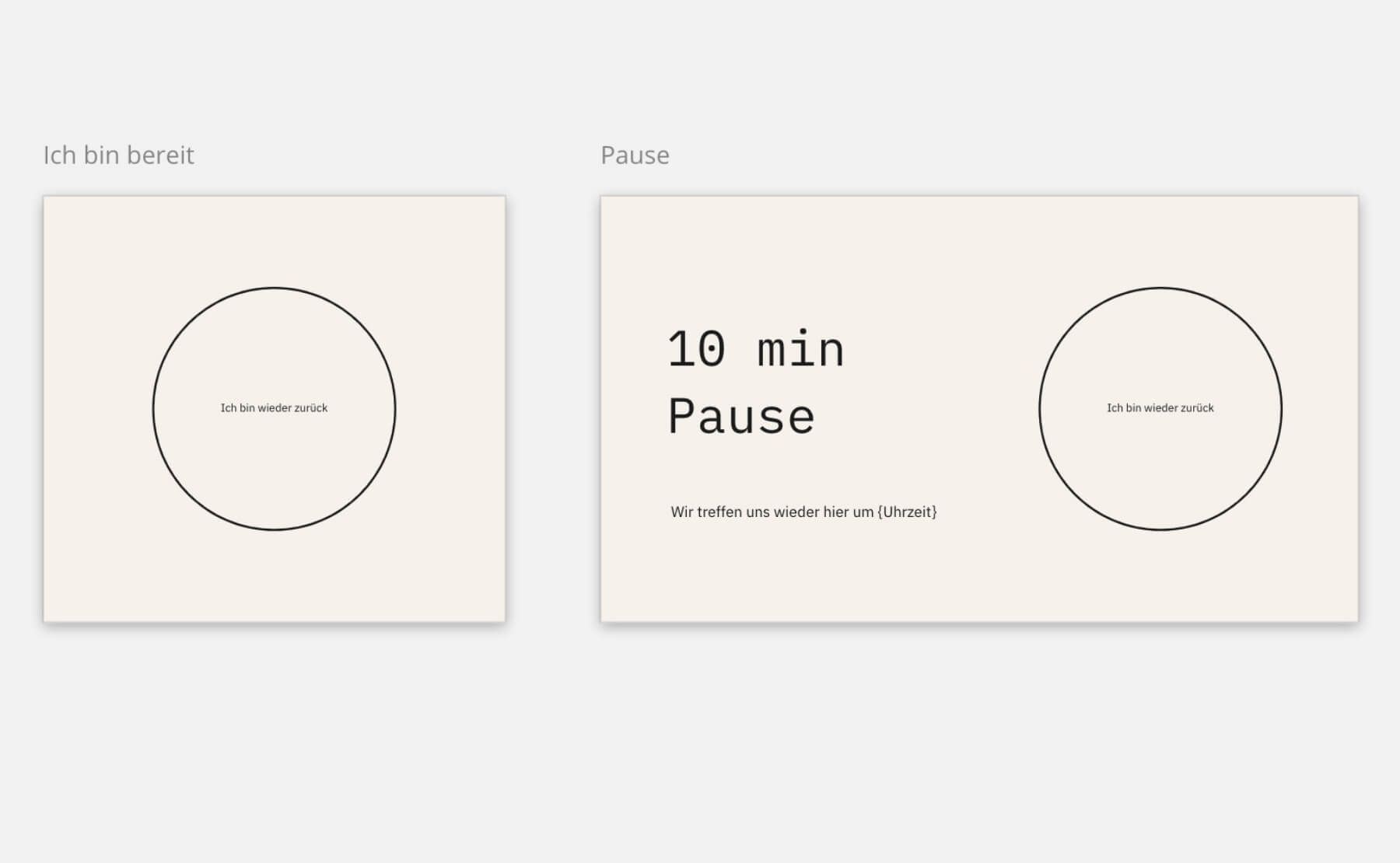
"I’m ready" button, pause button, and mouse pause
Especially when the cameras aren’t on all the time, you need other types of visual feedback. Mouse cursors land on the “I’m Ready” button when it’s time to start or continue, and participants use the “Pause” button to check back in after a break. All mouse cursors gather at the “Mouse Pause” button so they don’t distractively dart around the screen.
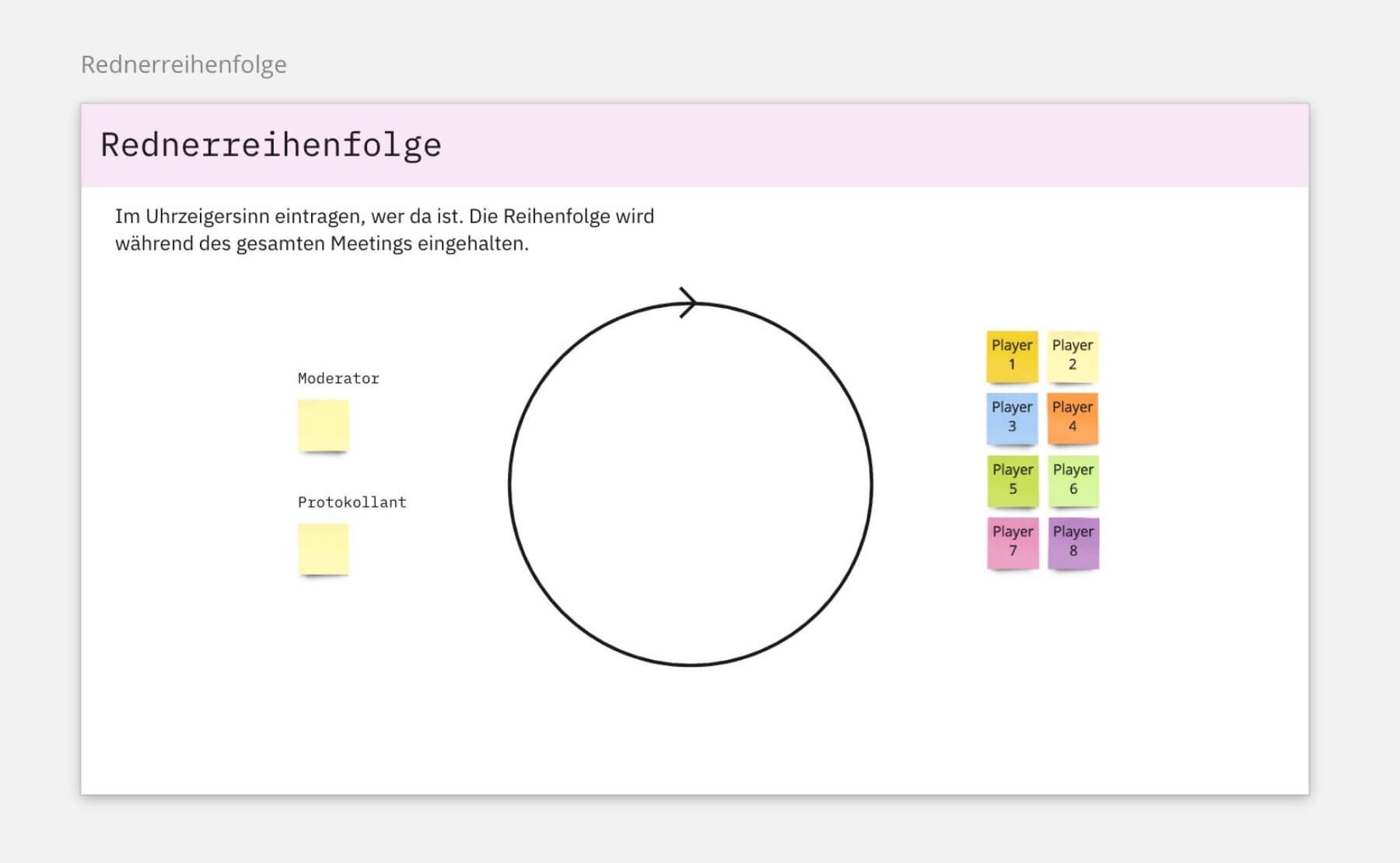
Set the order of speakers
This is what happens at the start of every day. We facilitators sometimes shift the focus here and there to keep things from getting boring.
Introduction
All participants will be briefly introduced individually, along with a photo, because you can never rely on the cameras.
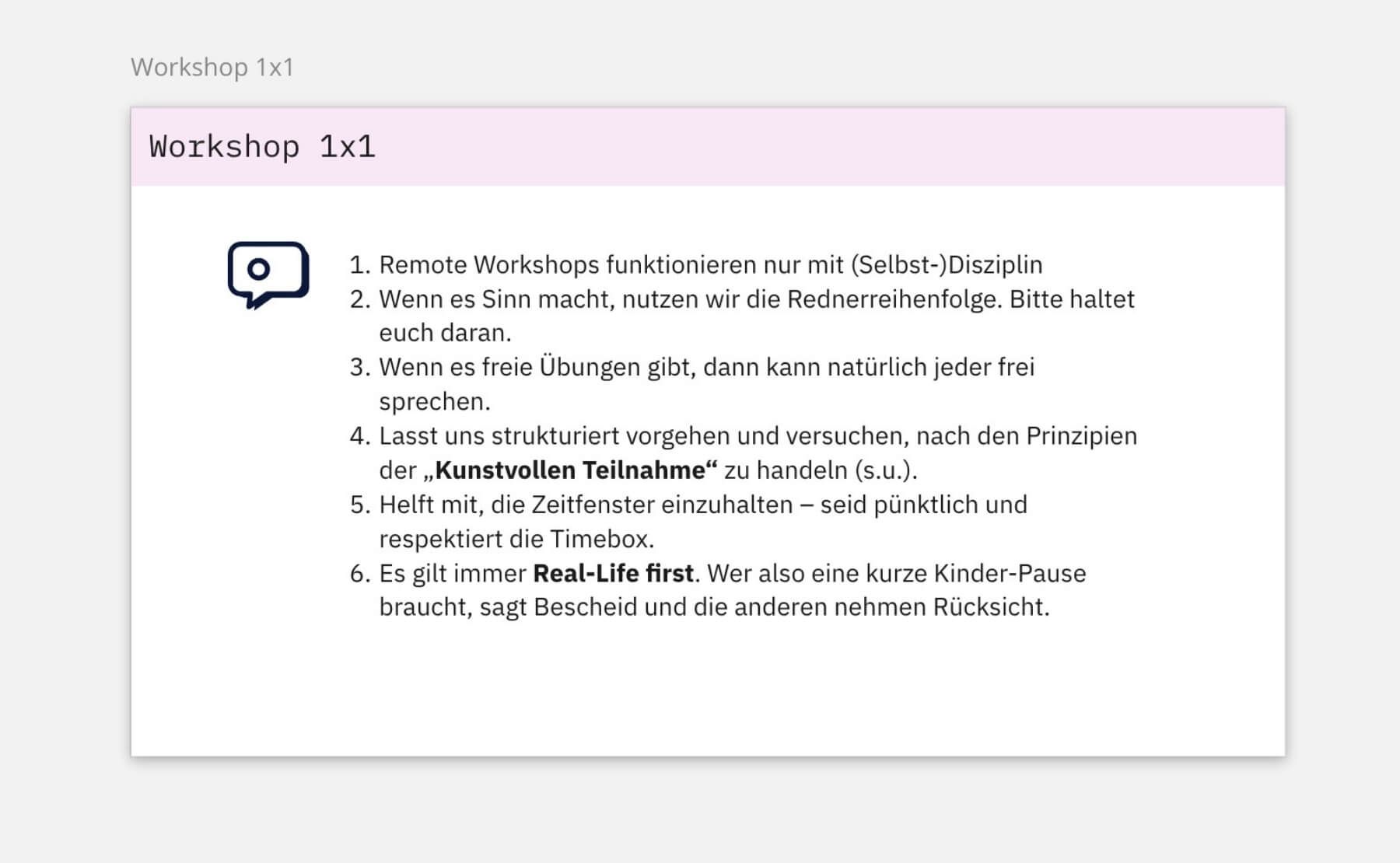
Workshop 101
We’ll explain briefly and clearly how a remote workshop works and what participants should keep in mind.
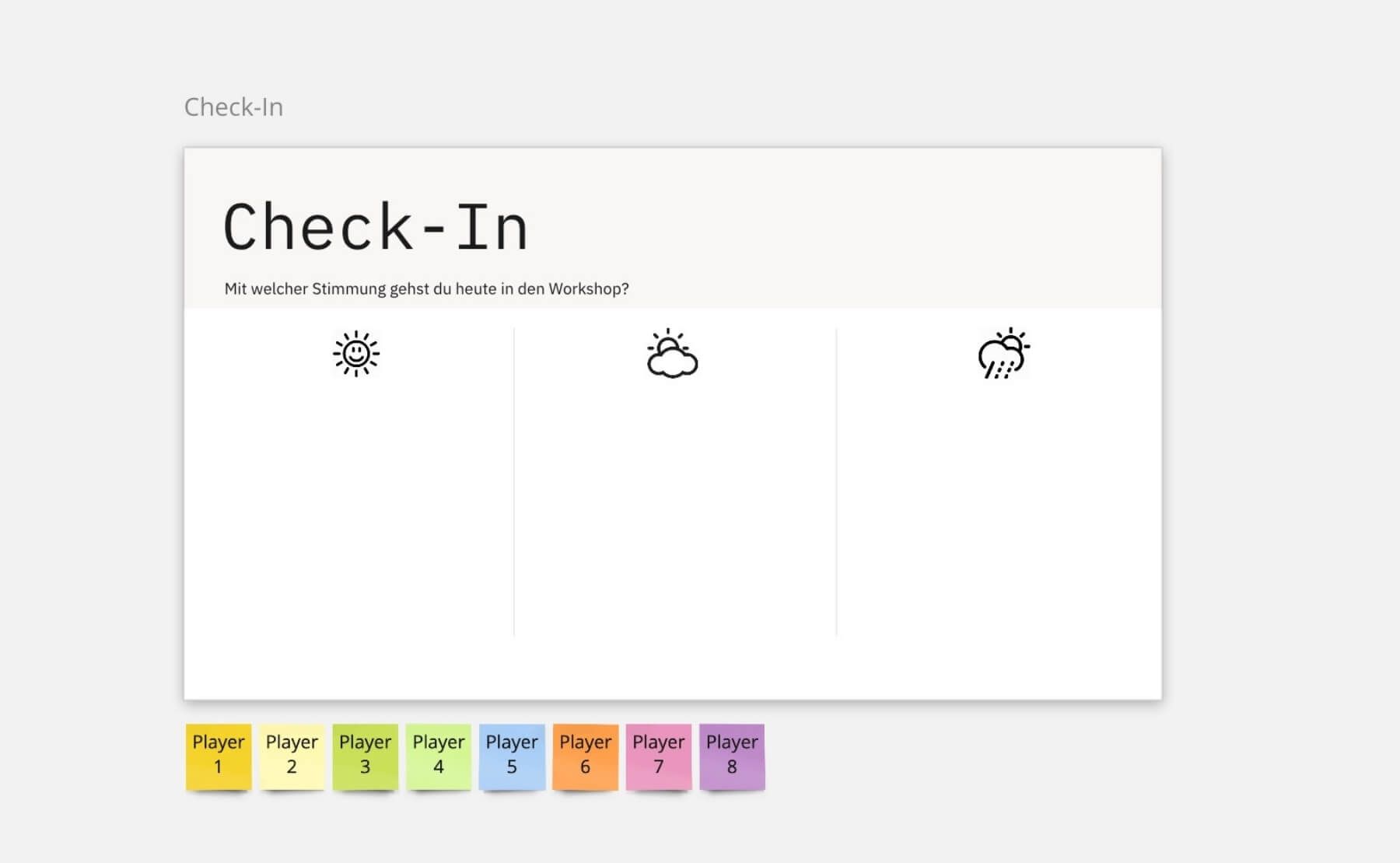
Check-in
Very important! This shows the mood each participant is bringing to today’s workshop. This helps the facilitators better adapt to the team.
Real life first
Unlike an in-person sprint, in a remote sprint each participant is in their own environment. That environment takes priority. You’re allowed to answer the door for the mail carrier or soothe your baby.
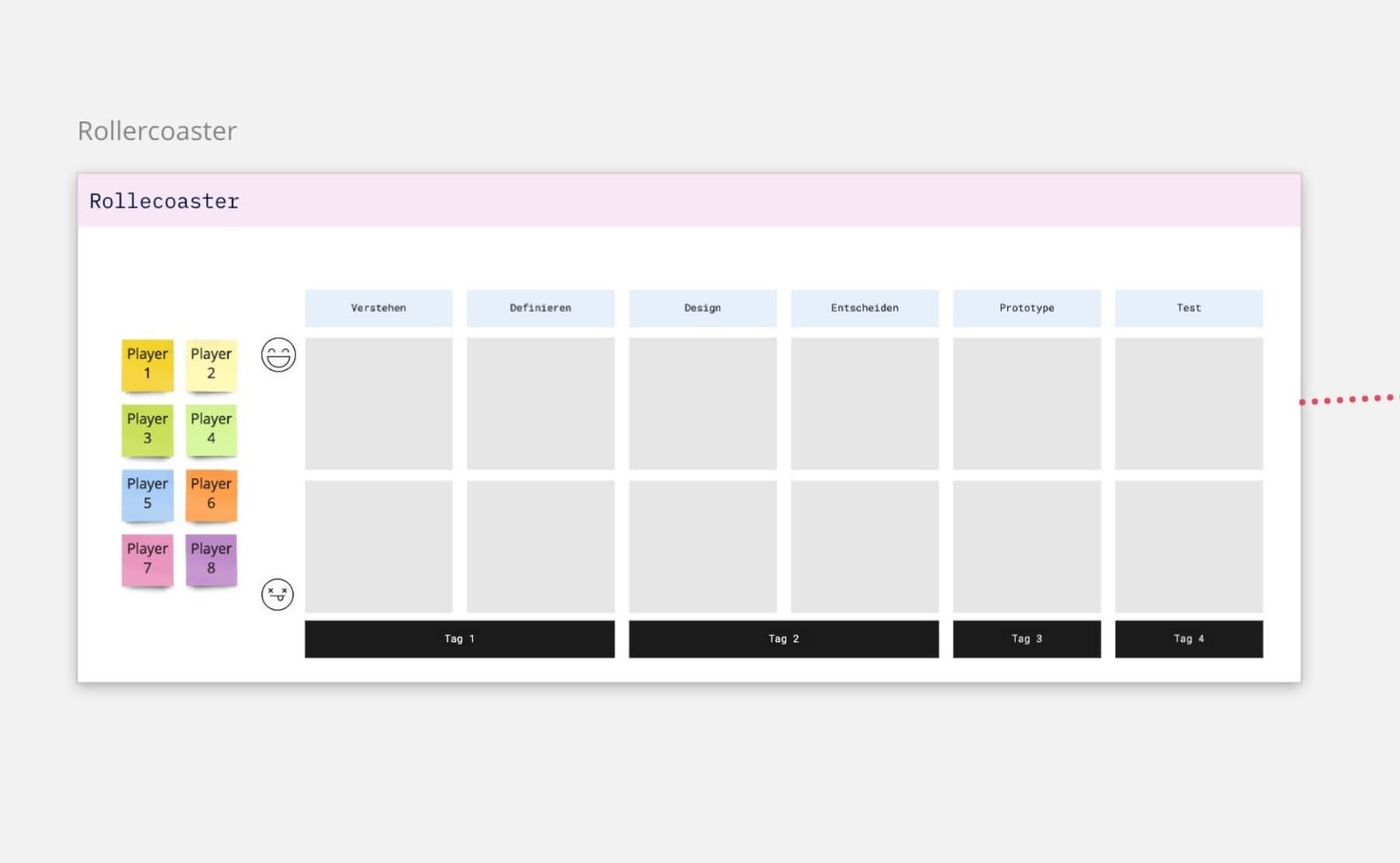
Roller coaster
At the end of each day, participants share how they felt about the various tasks. The facilitator can clearly see when someone isn’t doing well and can address their concerns personally.
Games
Warm-up exercises and short games throughout the session are important. They foster mutual understanding and empathy, boost concentration, and create a positive atmosphere.
Cheat sheet
Key information, such as during the Team Challenge, is displayed on small cheat sheets visible to everyone. This isn’t necessary in person; you can just quickly ask the facilitator. But remotely, that takes too much time.
Homework
Since sprint days spent in front of a screen are even more exhausting than in-person sessions, we assign participants some of the tasks as homework so they can complete them at their own pace.
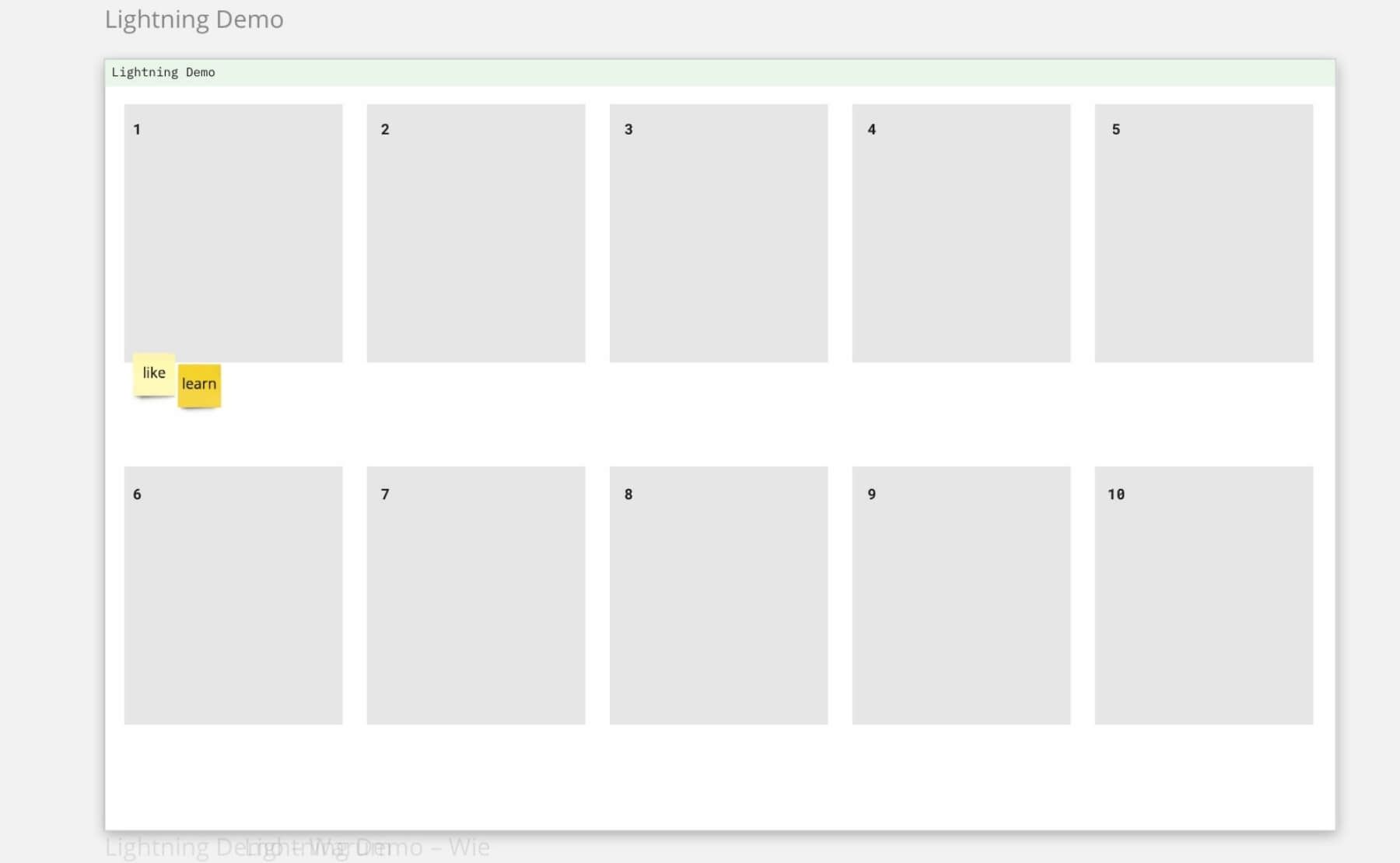
Lightning demo
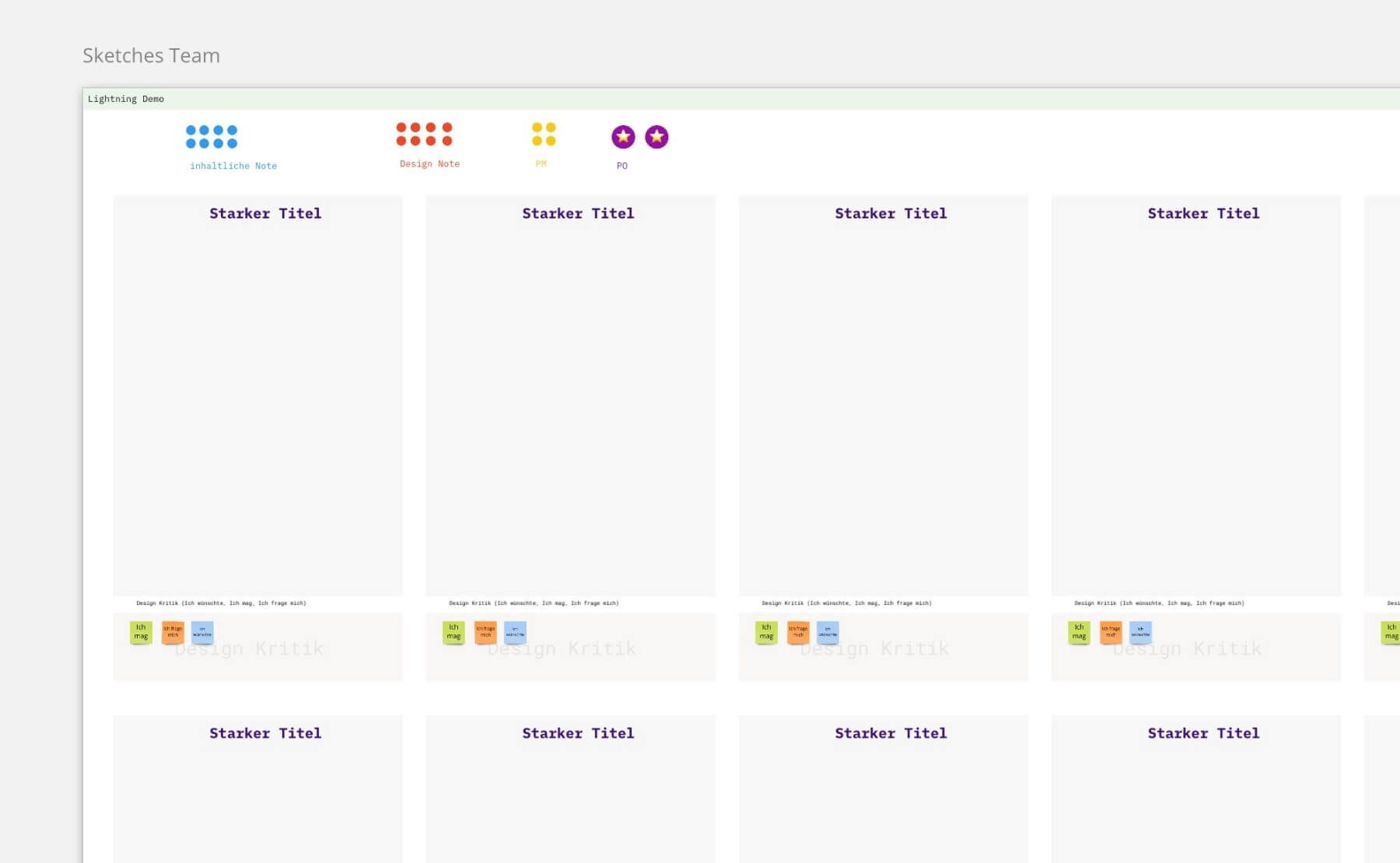
At the start of Day 2, each participant gets to present their favorite app or another digital application, simply by sharing a screenshot from their phone onto the Miro board. The team gets itchy fingers: they want to get started themselves and build something amazing.
Grading
To evaluate an idea, we originally had each participant assign dots. The number of dots alone was the deciding factor. But how can you tell whether it’s just the design that’s well-received, or the idea itself, or both? We’ve made the evaluation system more complex: There’s a design score, a content score, and one additional score each from the PM/expert and the PO/decision-maker.
Crazy 8
This creative method is guaranteed to get everyone’s attention! And it delivers creative output quickly. In 8 minutes, each participant sketches 8 potential solutions. The scribbles are simply uploaded to the Miro board as a photo taken with a cell phone.
Skip the storyboards
Normally, on Day 3, teams create storyboards based on the wireframes developed on Day 2. However, this didn’t add enough value in a virtual setting and was too rigid, so we quickly decided to skip it. By the way, Miro’s mockups are great for wireframes.
Prototyping job board
On Day 3, we assign clear roles within the team for prototyping and testing: Builder, Collector, Copywriter, Stitcher, and Interviewer. Each task can be marked as open or completed. A separate team prepares the interview questions for the next day.
Test participants
When conducting remote design sprints, we usually survey about five participants from the team members’ circle of friends and family.
Wall of truth
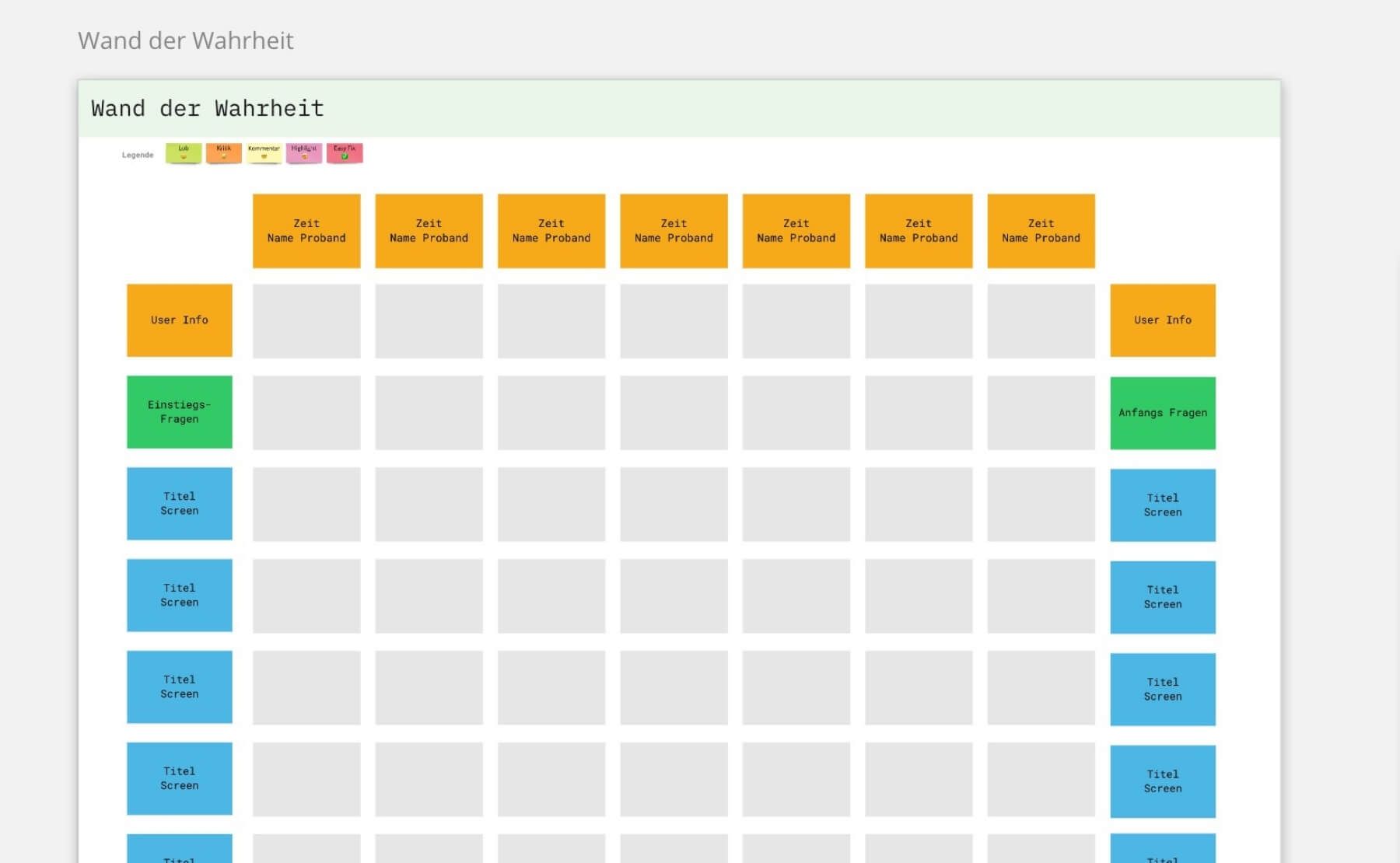
The organizational tool from AJ&Smart, which we’ve tweaked a bit over time, makes documenting interviews much easier. By taking notes simultaneously on a “wall,” we avoid duplicates and group different perspectives on a single statement directly into a cluster. Throughout our long series of sprints, we’ve repeatedly encountered different perspectives on statements made by test users. The Wall of Truth is also an excellent foundation for test planning and learning cards. Another great feature: The wall is an open format, everyone can participate.
Test Card and Learning Card
Even during our very first remote Design Sprint, it became clear that, in addition to simply presenting the prototype and sharing a few anecdotes from user feedback, we needed a format that would allow us to quickly summarize the sprint’s results. We therefore view the sprint as an experiment in line with Strategyzer’s methodology: We take the time to fill out a Test Card at the end of the first day and a Learning Card at the end of the fourth day. This helps the team develop a shared understanding at the outset and clearly define what needs to be addressed, along with measurable success criteria. At the end of the sprint, the Learning Card helps the teams distill their testing experience from the “Wall of Truth” and reach consensus on these points as well.
- Learning Card (from Strategyzer’s YouTube video: “Capture (Customer) Insights and Actions with the Learning Card”)
- Test Card: (link to Strategyzer’s YouTube video: “Validate Your Ideas with the Test Card”)
Sailboat
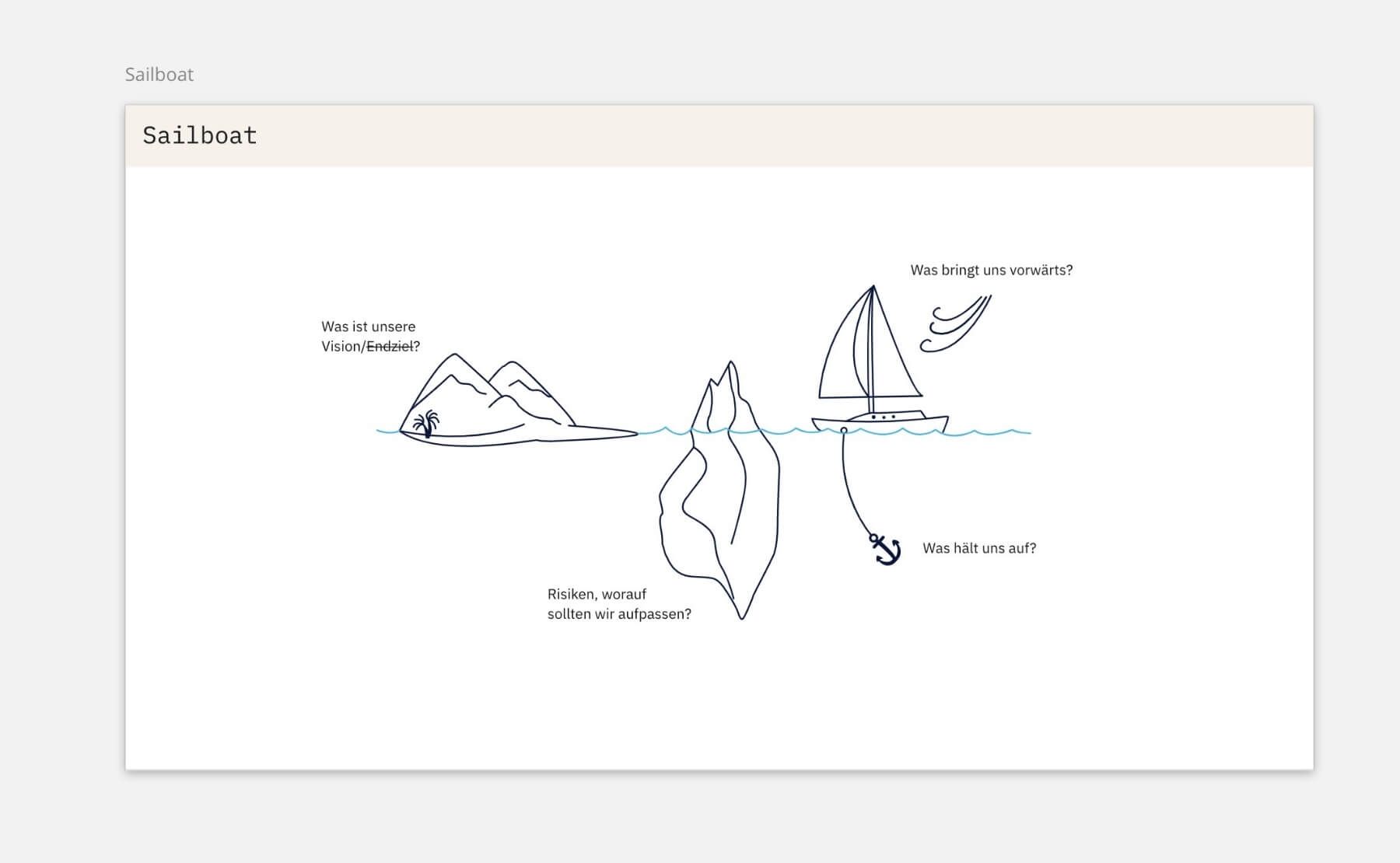
When a remote Design Sprint continues into a second week, everyone gets to pull out their Post-its: We start with the “Sailboat” retrospective method. Metaphorically speaking, we take a look at the team’s situation: If we were a sailboat…
Fail better
With all that in mind, don’t forget: This is a completely new situation, so long live trial and error. We’ve made mistakes, too. Here are three, for example, that you don’t necessarily have to repeat:
Parallel sprints
We tried having two teams work in parallel on a related topic. The task: Build a joint prototype on Day 3 and leverage the power of twice as many test users. All of this was also meant to make things more fun and generate fresh ideas from the parallel teams. However, enthusiasm was limited, and at some point, the teams preferred to do their own thing. In the retrospective, it became clear to us that these sprints weren’t taking place in a vacuum, but within the SAFe context. Both teams saw their goal as demonstrating their performance through their own initial system demo.
Prototypes that are too good to be true
Since we were really in the zone, we ended up working late into the night on a particularly sophisticated prototype. And the next day, we were completely wiped out. It’s not worth it.
Taking on too much
Facilitators often overestimate their own role and try to do too much themselves. That rarely works out well. It’s better to trust the team and offer support rather than taking over everything yourself.
Miro template
If you’d like to take a look at our Miro template, you can view it directly in Miro. It can serve as inspiration for your project. In most cases, however, it will need to be adapted to the specific project.
Conclusion
What started for us as an experiment with an uncertain outcome turned out to be a huge success. Our teams were full of energy and achieved amazing results using the simplest of tools. We learned a lot in the process: from strict timeboxing to clear explanations of the individual tools, all the way to standardized feedback at the end of each sprint day. Even more so than in a regular Design Sprint, you should be flexible, adjust things as you go, and sometimes leave things out. Despite all the hurdles, the Design Sprint format is absolutely feasible and useful, even when conducted remotely.
Our expert
Markus is a senior UX consultant and has been part of UX&I in Düsseldorf since 2018. He has been involved in the design of digital products since 2009. Markus particularly enjoys challenging tasks, feels right at home in the role of facilitator, and loves working in interdisciplinary teams.